
In an era where digital entertainment is constantly evolving, understanding the technology behind how we access our favorite shows and live events is more important than ever. IPTV, or Internet Protocol Television, has revolutionized the way we consume video content, moving beyond traditional cable and satellite broadcasts. But what exactly is IPTV television, and how does it operate? This guide will delve into the core concepts of IPTV, explaining its underlying technology, how it delivers content, and what makes it such a compelling alternative to older viewing methods. For those looking to explore cutting-edge solutions, learning about the intricacies of iptv television is the first step toward unlocking a world of flexible and high-quality streaming.
Understanding the Fundamentals of IPTV
At its heart, IPTV is a system that delivers television content over Internet Protocol networks. Unlike traditional broadcasting, which uses radio waves or dedicated cable lines, IPTV utilizes your existing internet connection to stream video. This fundamental difference allows for a much more flexible and interactive viewing experience. Instead of receiving a broad bundle of channels, users can often select specific content, access on-demand libraries, and even rewind or pause live streams, depending on the service provider.
The technology works by breaking down video signals into data packets. These packets are then sent across the internet to your device, where they are reassembled to display the video content. This process is similar to how other internet services like web browsing or video conferencing operate, but it’s optimized for high-quality video delivery. This optimization is crucial for ensuring smooth playback, minimizing buffering, and supporting high definition (HD), Full HD, and even 4K resolutions.
The “IP” in IPTV stands for Internet Protocol, the same system that governs how data is sent and received across the internet. This means that IPTV content travels the same digital pathways as your emails, web pages, and social media updates. However, specialized network infrastructure and delivery methods are employed by IPTV providers to guarantee the quality and reliability of the video stream, distinguishing it from general internet traffic.
How IPTV Delivers Content: The Technical Backbone
The delivery mechanism of IPTV is a marvel of modern networking. It typically relies on a client-server model. The IPTV service provider (the server) hosts a vast library of live channels, Video on Demand (VOD) content (movies and series), and other programming. When you request content, your IPTV device or application (the client) sends a request to the server.
The server then transmits the requested content in the form of data packets. These packets are routed through the internet to your home network and then to your specific device. To ensure a seamless viewing experience, IPTV providers often use advanced techniques such as:
- Multicast: For live TV channels, multicast is frequently used. This allows a single stream of data to be sent to multiple subscribers simultaneously, conserving bandwidth compared to sending an individual stream to each user.
- Unicast: For VOD content or personalized streams, unicast is employed. Each user receives their own dedicated stream, ensuring privacy and control.
- Content Delivery Networks (CDNs): Many large IPTV providers utilize CDNs, which are distributed networks of servers located in various geographical locations. This helps reduce latency and improve streaming quality by delivering content from a server that is geographically closer to the user.
The effectiveness of IPTV hinges on a stable and sufficiently fast internet connection. A consistent connection ensures that data packets arrive without interruption, preventing the dreaded buffering that can plague streaming services. Providers like Sox Provider focus heavily on ensuring their infrastructure supports smooth playback, offering services that are designed to deliver HD, Full HD, and 4K quality without constant interruptions. They achieve this through robust server management and advanced anti-freeze technology, which is vital for uninterrupted viewing.
Key Features and Benefits of IPTV Television
The shift towards IPTV is driven by a compelling set of features and benefits that traditional television simply cannot match. These advantages cater to the modern viewer’s desire for flexibility, choice, and quality.
Flexibility and Accessibility
One of the most significant benefits of IPTV is its flexibility. Because content is delivered over the internet, you can access your subscriptions from virtually any internet-connected device. This includes:
- Smart TVs
- Android Boxes and Firesticks
- Computers (Windows and Mac)
- Tablets and Smartphones (iOS and Android)
- Gaming Consoles
This multi-device compatibility means you’re not tied to a single television set. You can start watching a show on your living room Smart TV and pick it up on your tablet while commuting. Sox Provider excels in this area, offering broad device compatibility so you can enjoy premium viewing on all your preferred platforms.
On-Demand Content and Interactive Features
IPTV goes beyond live linear channels. Most IPTV services offer extensive Video on Demand (VOD) libraries, featuring thousands of movies and TV series. Sox Provider, for instance, boasts a library of over 150,000 movies and TV series, alongside more than 21,000 live channels. This means you can watch what you want, when you want, without being constrained by broadcast schedules.
Furthermore, IPTV can offer interactive features like:
- Catch-Up TV: Allows you to watch programs that have already aired.
- Timeshift: Lets you pause, rewind, and fast-forward live TV.
- Electronic Program Guide (EPG): Provides detailed information about upcoming programs, often with a user-friendly interface. Sox Provider’s EPG support is a key feature for users who rely on planning their viewing.
Superior Quality and Reliability
Modern IPTV services are designed to deliver high-quality streaming. Providers like Sox Provider emphasize HD, Full HD, and 4K resolution, offering a crisper and more immersive viewing experience. Their commitment to stable performance and the use of anti-freeze technology means you can enjoy uninterrupted viewing with minimal buffering, often backed by a 99.9% uptime guarantee. This level of reliability is a significant upgrade from the inconsistent streams that some early internet-based services suffered from.
Cost-Effectiveness and Value
While the initial perception might be that advanced technology comes at a high price, IPTV can often be more cost-effective than traditional cable or satellite packages. Many IPTV providers offer flexible subscription plans based on duration and the number of devices you wish to connect simultaneously. This allows users to choose a plan that best suits their budget and viewing habits. For example, you can find plans from 1 month up to longer terms like 1, 2, 3, 4, 5 years, and even lifetime options. Sox Provider offers a range of these durations and device connections, providing excellent value for premium IPTV streaming services.
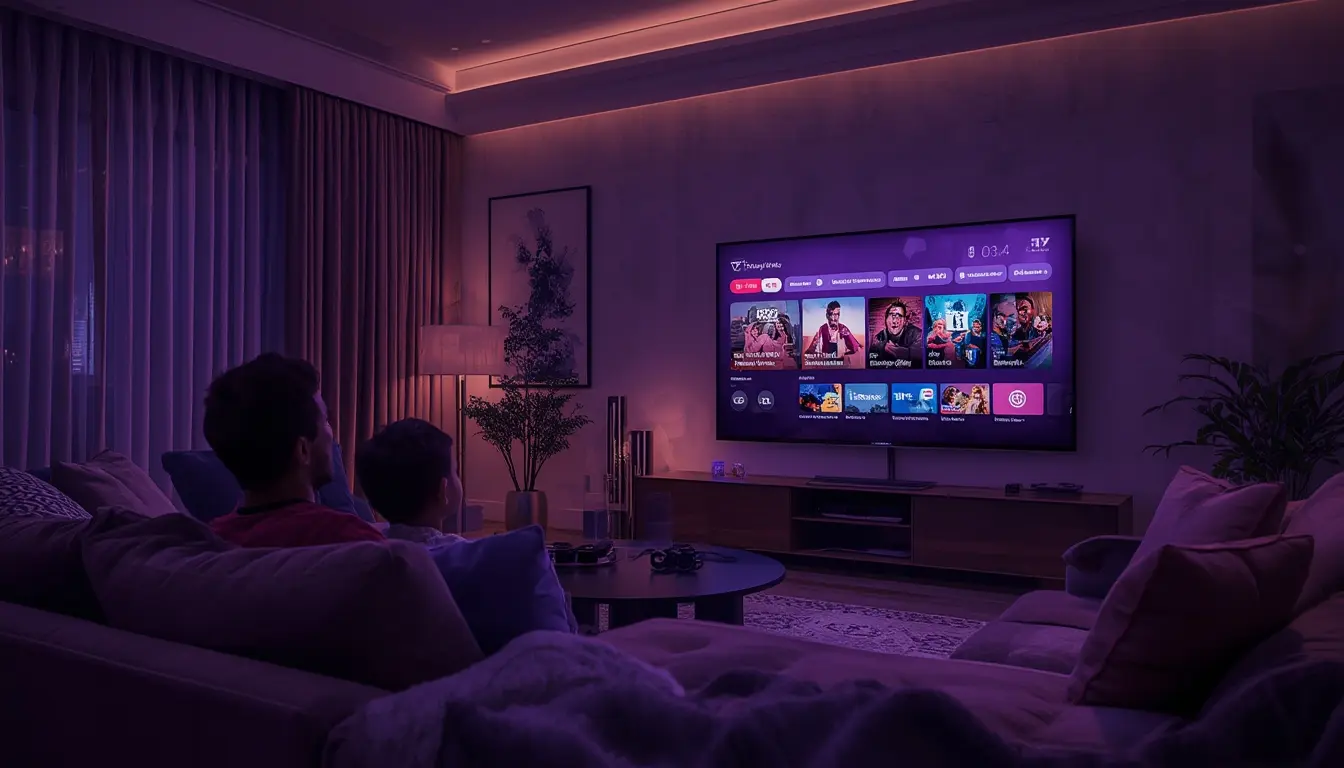
How Does an IPTV Service Work from a User’s Perspective?
From the user’s standpoint, interacting with an IPTV service is typically straightforward, especially with providers that prioritize ease of use and fast activation. The process generally involves a few key steps:
1. Subscription Purchase: You begin by subscribing to an IPTV service. This usually involves selecting a plan based on the duration (e.g., monthly, yearly, lifetime) and the number of simultaneous device connections you need. Providers like Sox Provider offer various plans tailored to different user needs, from single-device access to multi-device bundles.
2. Account Activation and Login Details: Once your order is processed, the provider will send you your login credentials. This is often done very quickly, sometimes instantly, via email or WhatsApp. These credentials typically include a username, password, and a server URL or portal address. Fast activation is a hallmark of premium providers, ensuring you can start watching without delay.
3. App or Device Setup: You’ll need an IPTV application or a device that can run one. This could be a dedicated IPTV player app (like IPTV Smarters Pro, TiviMate, or GSE Smart IPTV) installed on your streaming device (e.g., Firestick, Android Box), or the service might integrate directly with your Smart TV’s platform. Some services also offer web players for PC or Mac access. For detailed setup guides, you can learn more here regarding installations on specific devices.
4. Entering Credentials: Within your chosen IPTV app, you will enter the login details provided by your service. This process connects your app to the provider’s servers, unlocking access to the channels and VOD content.
5. Enjoying the Content: Once logged in, you can browse the channel list, access the VOD library, and begin streaming your desired content. The quality of your experience will depend on your internet speed and the provider’s infrastructure. Reliable IPTV streaming services ensure a smooth experience with HD and 4K options.
Many IPTV providers, including Sox Provider, offer 24/7 customer support to assist with any setup or troubleshooting issues. This support is invaluable, especially for those new to IPTV technology.
Common IPTV Applications and Devices
The versatility of IPTV means it’s compatible with a wide range of applications and devices, making it accessible to almost everyone.
IPTV Applications
IPTV applications act as the client software that interprets the data stream from the provider and displays it on your screen. Some of the most popular IPTV apps include:
- IPTV Smarters Pro: A feature-rich player known for its user-friendly interface, EPG support, and ability to manage multiple playlists. It’s particularly popular on Android-based devices like Firestick and Android TV boxes.
- TiviMate: Highly regarded for its premium EPG interface and customization options, TiviMate is a top choice for Android TV users seeking a polished experience.
- GSE Smart IPTV: A versatile app available on various platforms, supporting M3U playlists and Xtream Codes API logins.
- VLC Media Player: While a general-purpose media player, VLC can play IPTV streams if you have the correct M3U playlist or URL.
Compatible Devices
The beauty of IPTV is its device agnosticism. As long as a device can connect to the internet and run an IPTV app or browser, it can likely support IPTV.
- Streaming Devices: Amazon Firestick, NVIDIA Shield, Chromecast with Google TV, Roku (with specific apps).
- Set-Top Boxes: Android TV boxes, MAG boxes (older but still supported by some services).
- Smart TVs: Samsung, LG, Sony, and other brands with their own app stores or web browsers.
- Mobile Devices: Smartphones and tablets running iOS or Android.
- Computers: Windows PCs and MacBooks using desktop applications or web browsers.
Sox Provider emphasizes this multi-device compatibility, ensuring their premium IPTV subscription works seamlessly across this diverse ecosystem. This adaptability is a key reason why iptv streaming services are gaining widespread popularity.

Potential Challenges and How to Overcome Them
While IPTV offers numerous advantages, users might encounter a few challenges. Understanding these issues and their solutions can significantly enhance your viewing experience.
Internet Connection Issues
The most common challenge with IPTV is an unstable or slow internet connection. Buffering, pixelation, and connection drops are direct symptoms of this.
- Solution: Ensure you have a broadband internet plan that meets the recommended speeds for HD or 4K streaming (typically 25 Mbps or higher for 4K). Consider a wired Ethernet connection instead of Wi-Fi for a more stable link. Rebooting your router and modem regularly can also help.
Device Compatibility and App Issues
Sometimes, specific apps may not be available on certain devices, or compatibility issues can arise.
- Solution: Always check the provider’s supported devices list. If a preferred app isn’t available, explore alternative IPTV players. For devices like Firestick, sideloading apps is often an option, but it requires following specific guides.
Account or Login Problems
Rarely, users might face issues accessing their accounts due to incorrect credentials or server-side problems.
- Solution: Double-check your username, password, and server URL. If issues persist, contact your IPTV provider’s customer support. Premium providers like Sox Provider offer 24/7 support to quickly resolve such matters.
Geo-Restrictions
Some IPTV content might be geographically restricted.
- Solution: A Virtual Private Network (VPN) can help bypass geo-blocks by making it appear as though you are browsing from a different location. However, ensure the VPN is compatible with your IPTV service and does not significantly impact streaming speed.
By being aware of these potential hurdles and knowing how to address them, users can ensure a consistently smooth and enjoyable IPTV experience. For those seeking more information, you can learn more here about various IPTV platforms.
The Future of IPTV Television
IPTV technology is not static; it’s continually evolving. As internet infrastructure improves globally, we can expect even higher streaming quality, lower latency, and more interactive features. Advancements in video compression, AI-driven content recommendations, and integration with other smart home devices are likely to shape the future of IPTV. The trend towards personalized, on-demand entertainment is undeniable, and IPTV is at the forefront of this shift. Services that prioritize reliability, quality, and user experience, such as Sox Provider, are well-positioned to lead this transformation. For those interested in exploring cutting-edge platforms, this additional resource may provide valuable insights.
Frequently Asked Questions About IPTV Television
What is the main difference between IPTV and traditional TV?
The primary difference is the delivery method. Traditional TV uses radio waves or coaxial cables, while IPTV uses the internet protocol (IP) over an internet connection. This allows for more flexibility, on-demand content, and interactive features with IPTV.
Do I need a special TV for IPTV?
No, you don’t necessarily need a special TV. While Smart TVs offer seamless integration, you can also use IPTV with standard TVs by connecting them to a compatible streaming device (like a Firestick or Android Box) or a computer.
Is IPTV legal?
IPTV itself is a technology and is legal. However, the legality of the content you access depends entirely on the provider. Accessing copyrighted content without proper licensing is illegal. Reputable providers like Sox Provider offer legitimate access to a vast library of channels and VOD content.
How fast does my internet need to be for IPTV?
For standard definition (SD) streaming, around 5-8 Mbps is sufficient. For HD (1080p), aim for at least 10-15 Mbps. For 4K Ultra HD streaming, a stable connection of 25 Mbps or higher is recommended. These are general guidelines, and a more stable connection is always better.